
You’ve already bought a plugin that promised ten minutes of setup. You spent a Saturday on it.
So let’s take things in order. Here is what you do, screen by screen, the first time you open Booking Leads.
On this page
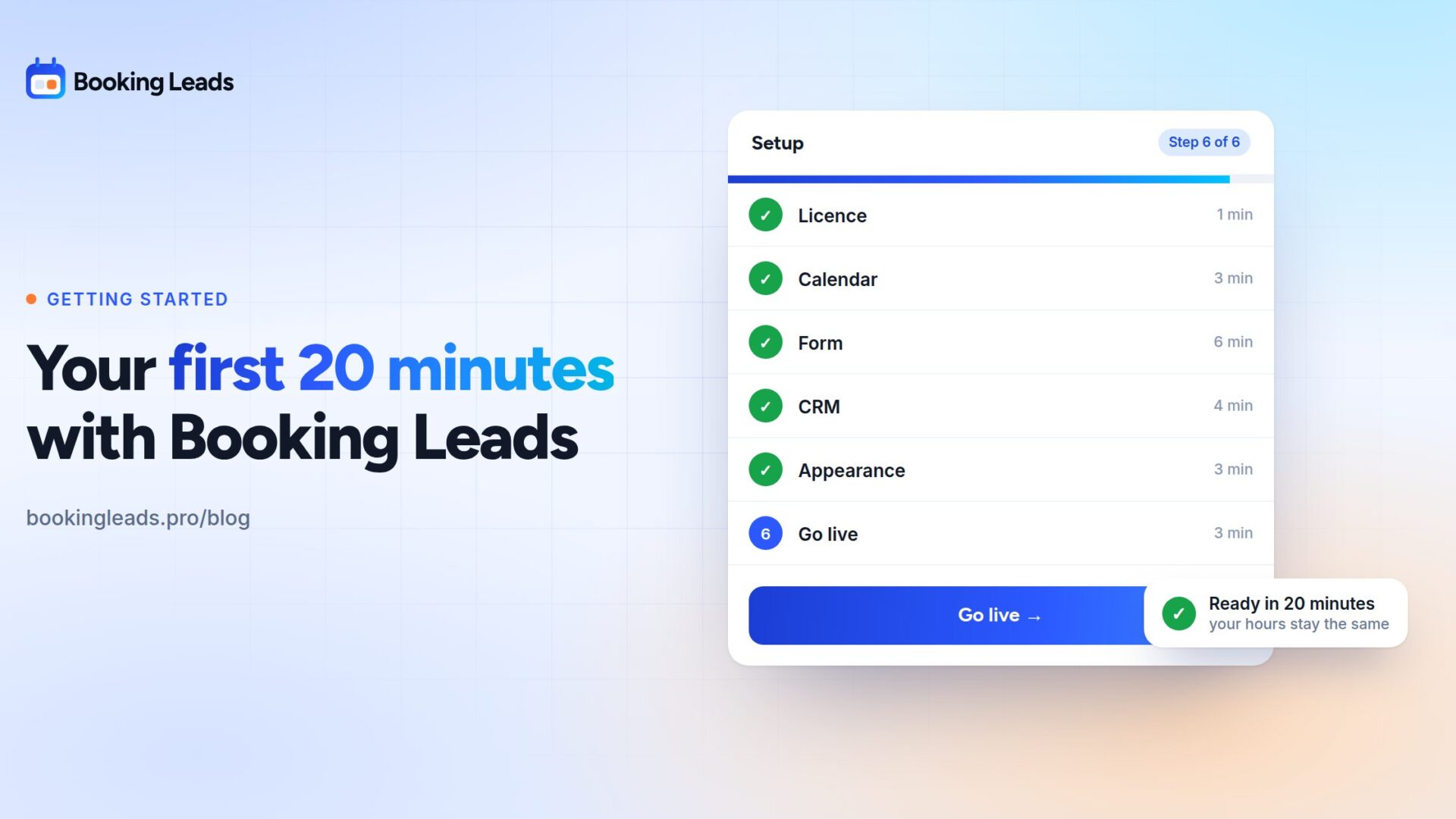
The wizard’s six steps
The wizard opens on its own the first time you activate the plugin. Six steps, not one more.
Step 1: Licence
You paste your key. That’s it.
One detail says a lot about the spirit of the product. While the wizard is open, the red “no active licence” banner stays quiet. It has no business sitting on top of the very screen where you enter your licence.
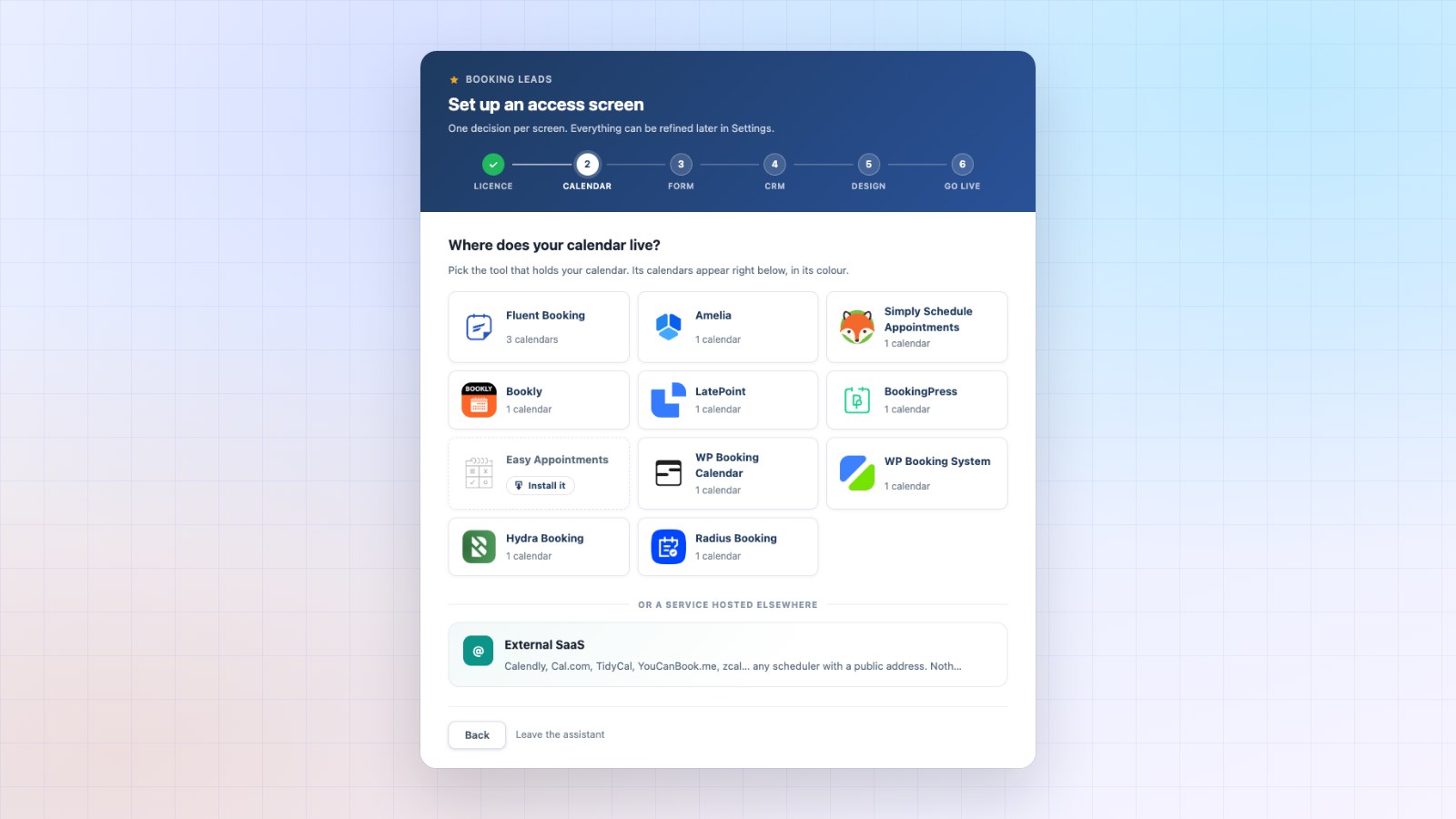
Step 2: Calendar
The product looks at what is installed on your site and shows you the list.
If your calendar is a WordPress plugin, you pick the right calendar from a menu. If your calendar is hosted by its vendor, you paste the public address of your booking page. Calendly, Cal.com, TidyCal and the others are recognised by their address.
You install nothing new. You point to what already exists.
Step 3: Form
Name and email are always requested. The phone number is optional: tick it if you call back the people who don’t show up.
You also write the title the visitor will see, and the button text. Two fields. Two minutes.
Step 4: CRM
If FluentCRM is installed, the connection is direct, and it’s the deepest one. Otherwise, a webhook sends each lead to the address of your choice. That’s the universal route, and it covers most CRMs.
And if you don’t have a CRM, you skip this step. Everything keeps working. Your contacts live in your site’s database either way.
Step 5: Design
Three possible layouts, and the preview plays the real visitor journey when you click.
- Locked: the slots are visible but sealed. For cold traffic that needs to see there is room.
- Full screen: the visitor moves forward step by step, in a centred column. The mobile choice.
- Two columns: your pitch on the left. For a page that hasn’t done the selling yet.
The choice is entirely yours. The button waits until you’ve clicked one, on purpose.
Step 6: Go live
You confirm the setup. The access screen now sits in front of your calendar.
Your next visitor goes through it. Your opening hours, your emails and your video call link all stay exactly as they were.
The questions: ten flows already written
This is the step people dread, because you have to figure out what to ask. It’s already taken care of.
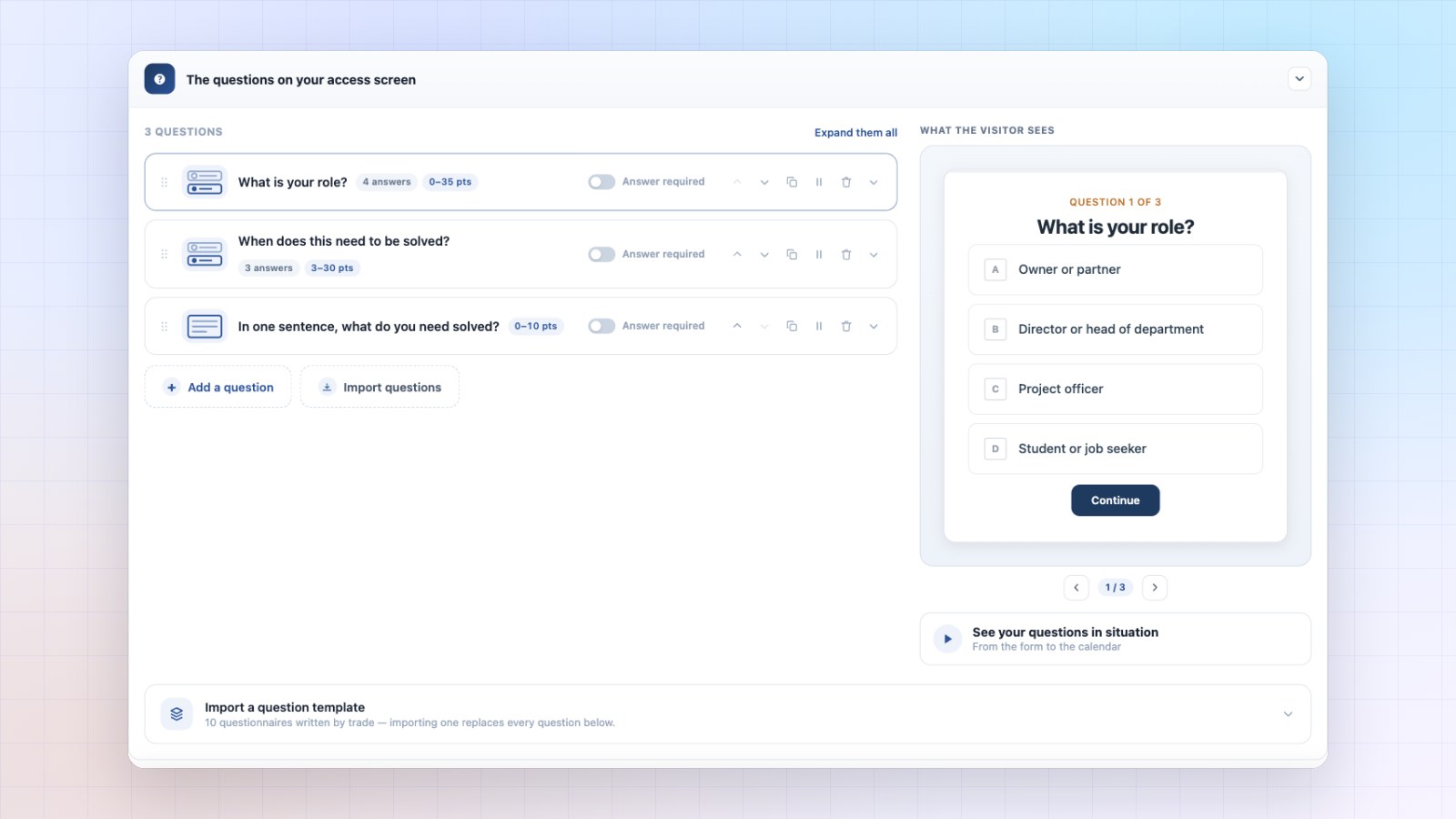
Ten qualification flows come built in. They are organised by type of offer, not by profession: high-ticket coaching, agencies and service providers, training and certification, B2B consulting, real estate, software demos, law firms, renovation and trades, photo and events, wellness and sport.
That choice is deliberate. A “profession” template is the easiest thing in the world to copy, and for regulated professions it can get you into trouble. A flow built around a type of offer describes a sales situation, which is more useful and more honest.
They all ask the same three things, in different forms.
- The budget: “What budget have you set aside for this programme?”, with three ranges.
- The decision-maker: “Do you make this kind of investment decision on your own?”
- The timing: “How soon would you like to get started?”
Pick the one closest to your offer, change three words, keep the rest. You’re live.
What you leave for later
The product can do a lot. All of it can wait.
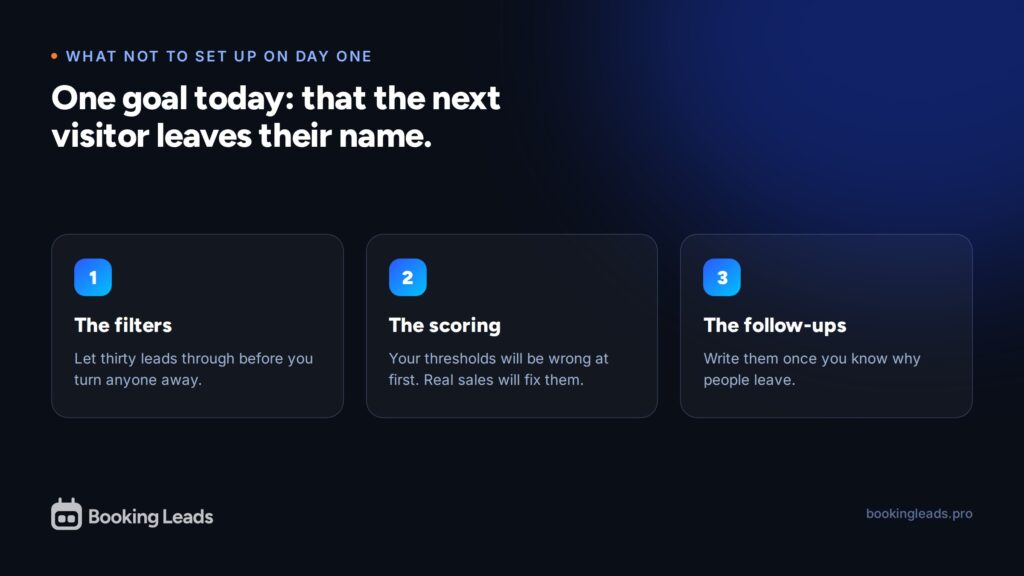
- Filters: wait until you’ve seen thirty leads come through before turning anyone away.
- Scoring: your thresholds will be off at first. Real sales fine-tune them.
- Routing: it comes into play once you have a team.
- Follow-ups: write them once you know why people leave.
- The invitation that follows the reader: add it later, once your booking page already converts.
On day one, there is a single goal: your next visitor leaves their name. The rest comes later, with real data in front of you.
What if something breaks?
That’s the real fear, and it deserves a clear answer.
The product sits in front of the sales funnel of a live site. So the failure to avoid isn’t “the access screen doesn’t show up”. It’s “the calendar stays locked and nobody can book any more”.
The rule is applied everywhere in the code: at the slightest doubt about our ability to read the state of the access screen correctly, we open.
A missed lead costs less than a blocked sales funnel. In the worst case, you’re back to what you had before: a calendar that takes bookings.
Same logic for the licence. If it expires, the admin area closes and outgoing sends stop. Your public site stays exactly as it is, down to the pixel, and your data stays in your database.
Twenty minutes, multiplied by your client base
Twenty minutes per site is a service you can bill, again and again.
You learn the wizard once. Then you run it for every client, whatever their calendar. Choosing the qualification flow and writing the three questions become your added value, not a technical chore.
A multi-site purchase covers all your client sites, and white label makes this wizard yours in your client’s eyes.
Twenty minutes today, contacts from tomorrow
Day one fits into six steps and a single goal: your next visitor leaves their name.
Your current settings are preserved from start to finish. Opening hours, confirmation emails, video calls, payments: you point to what already exists, you install nothing new.
The step that worried you is already written. Ten qualification flows come built in, by type of offer: pick the closest to yours, change three words, and you’re live.
The rest gets set up later, with real data in front of you. Filters, scoring thresholds, follow-up texts, the invitation that follows the reader: each one goes in when your numbers tell you what to do with it.
And the safety rule holds on its own: at the slightest doubt, the calendar opens. Your bookings keep coming in, whatever happens.
The demo walks through the wizard, and the lifetime offers are on the home page.
Your questions about getting started
How long does setup take?
The wizard has six steps: Licence, Calendar, Form, CRM, Design, Go live. Allow about twenty minutes if you already know which questions to ask.
Do I need to know how to code?
Everything is set up in the WordPress admin, without code. Only the white label lock asks you to edit the site’s configuration file, and it’s meant for agencies.
What happens if the access screen has a problem?
The calendar opens. The rule is applied everywhere: at the slightest doubt, we open. A missed lead costs less than a blocked sales funnel.
Do I need a CRM to use Booking Leads?
Booking Leads works fine without one. You can skip the CRM step. Your contacts live in your site’s database whatever happens, and you can connect a CRM later.
What questions should I ask a prospect before a meeting?
The planned budget, who decides, and on what timeline. Ten built-in flows ask these three things in forms suited to each type of offer, and you can edit them freely.
Should I set up filters on day one?
It’s better to wait. Let around thirty leads come through before turning anyone away. Your starting criteria almost always need fine-tuning.
Will my calendar settings change?
They stay intact. Opening hours, confirmation emails, video calls, payments and reminders are still handled by your calendar, exactly as before.