
“So, what does it actually do?”
The question comes up in every conversation. It’s a fair one. Everyone knows what a calendar is. A layer that sits in front of a calendar is harder to picture.
So here is the list. Twelve things, with no sugar-coating. Each one is in the product today.

On this page
The rule I set for this list
A line only makes it here if it passes two tests.
First test: it exists in the current version. Not on a roadmap, not “coming soon”.
Second test: I can say in one sentence what it brings you. A feature whose benefit you can’t name is a feature to remove, not to sell.
The twelve, one by one
1. It captures the contact before opening the slots
The visitor gives their name and email. Only then does the calendar appear.
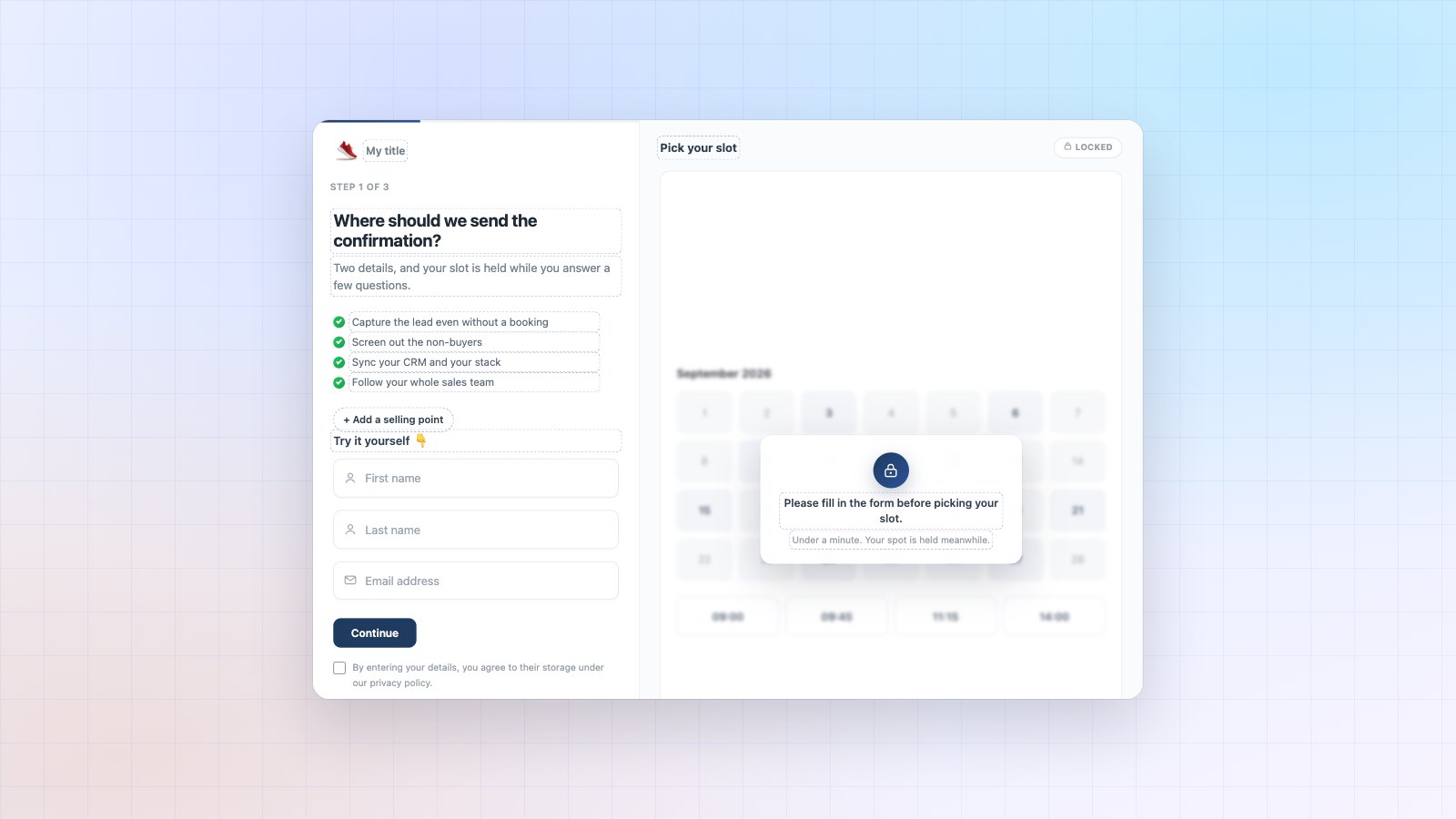
What it brings you. The person who hesitates over the time slots stays with you. You have their contact even if they book nothing. That’s the safety net, and it’s the reason the product exists.
2. It follows up on drop-offs by itself
A captured visitor who didn’t book receives your messages, at your pace, in your words.
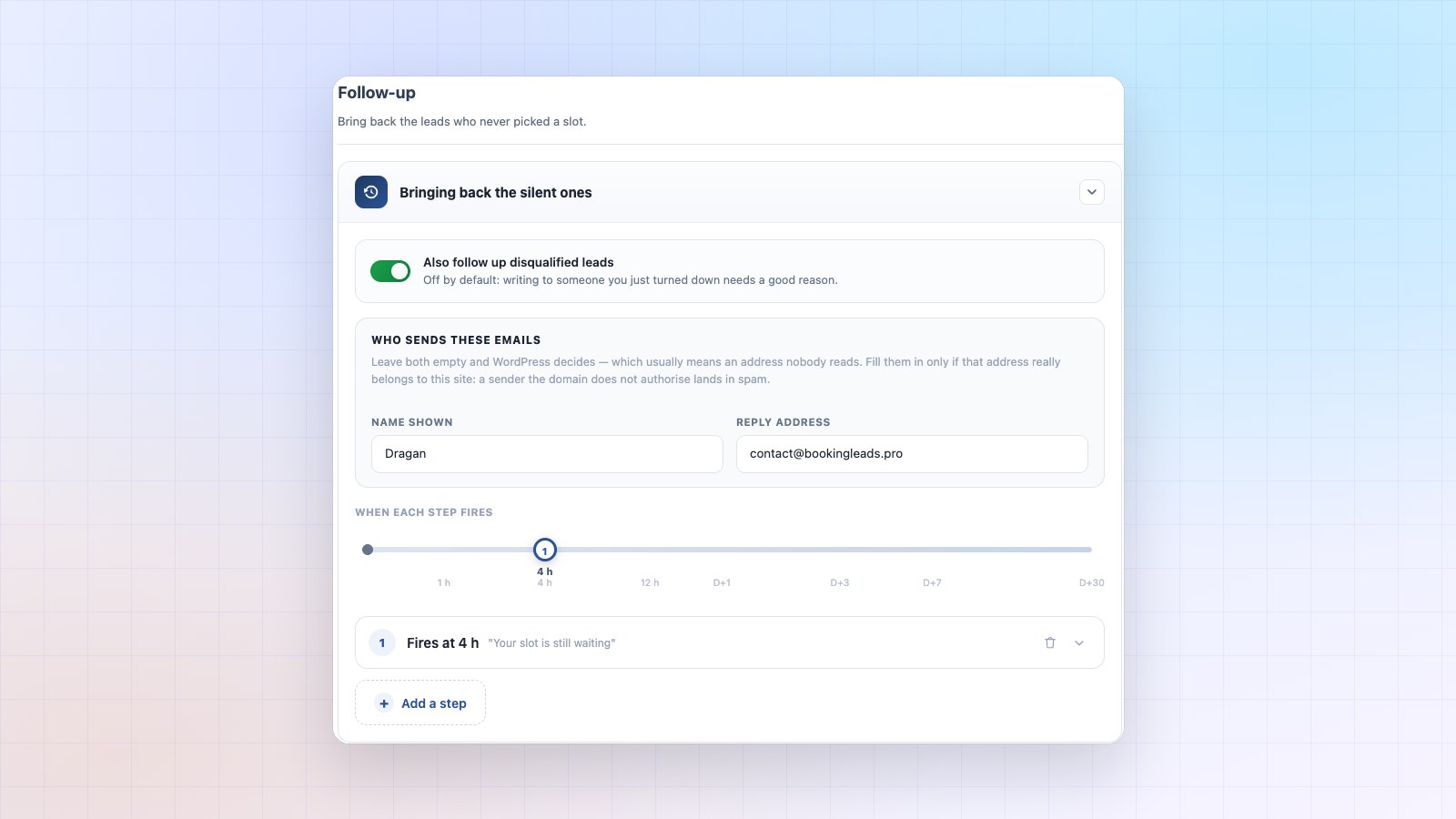
What it brings you. You stop telling yourself “I’ll call them back”. Every message carries an unsubscribe link, so the follow-up stays clean.
3. It turns tire-kickers away and keeps their contact
Your questions decide. Budget, timing, situation. Whoever doesn’t match your criteria doesn’t see the calendar.
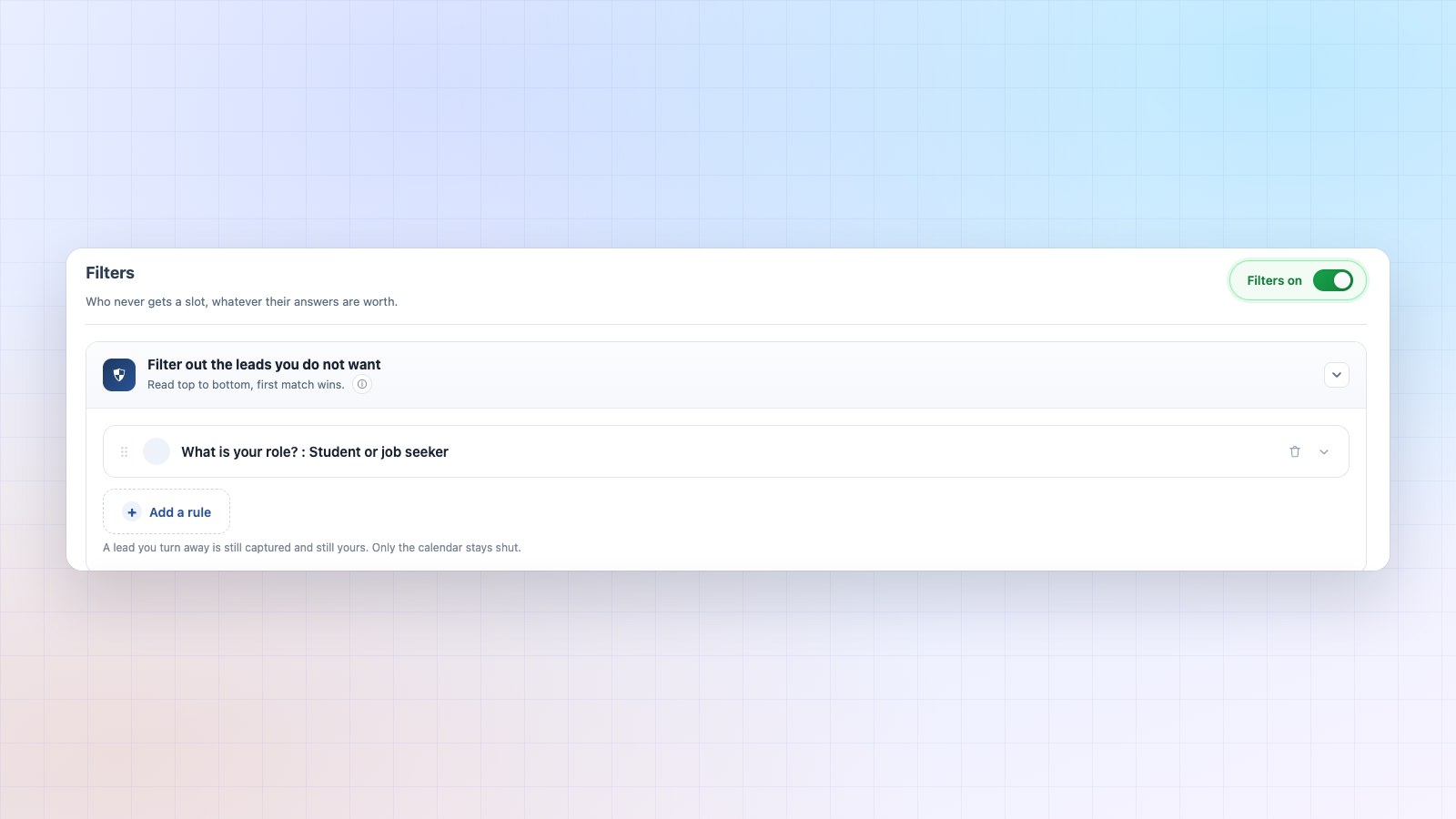
What it brings you. Your hours go to people who can buy. And the person you turned away stays in your database: one day, you can offer them something else.
4. It scores every lead, and corrects the score
Each answer is worth points. Two thresholds are enough to sort. Then the product compares the predicted score with what actually happened.
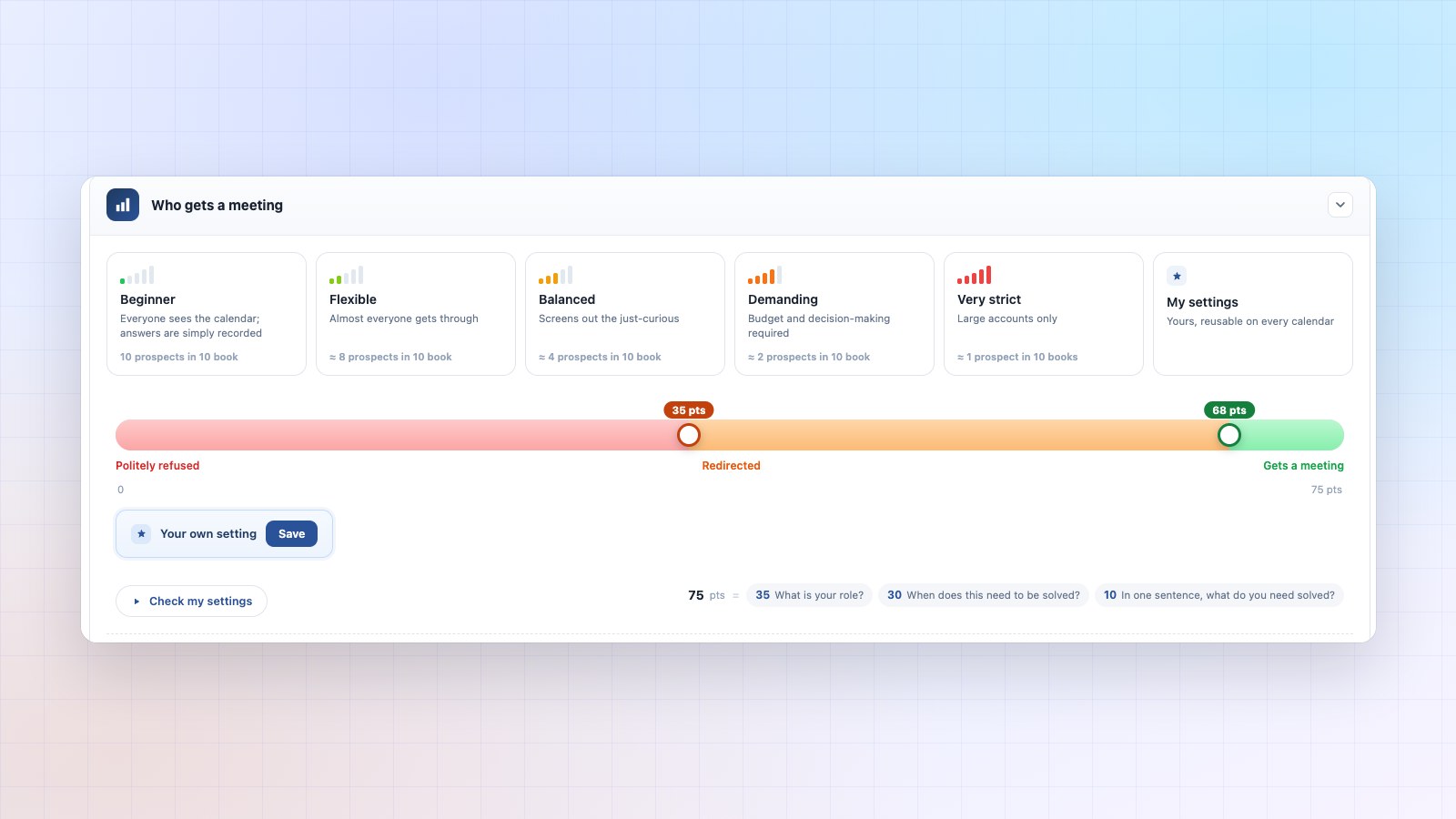
What it brings you. You find out which of your criteria really predict a sale. That lesson is worth money, month after month.
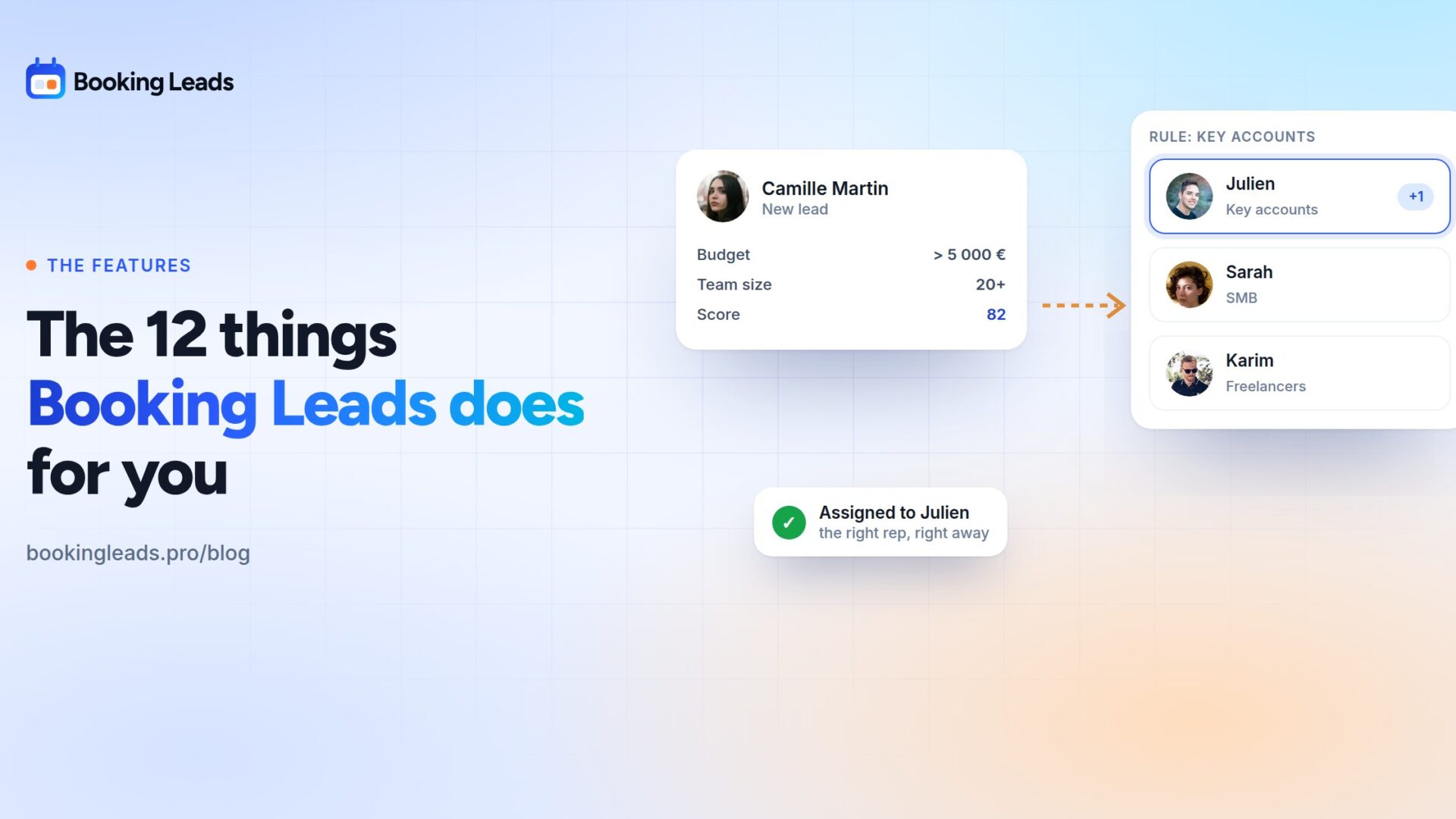
5. It sends the file to the right rep
Each in turn, by workload, or by results. The choice is made before the calendar is shown.
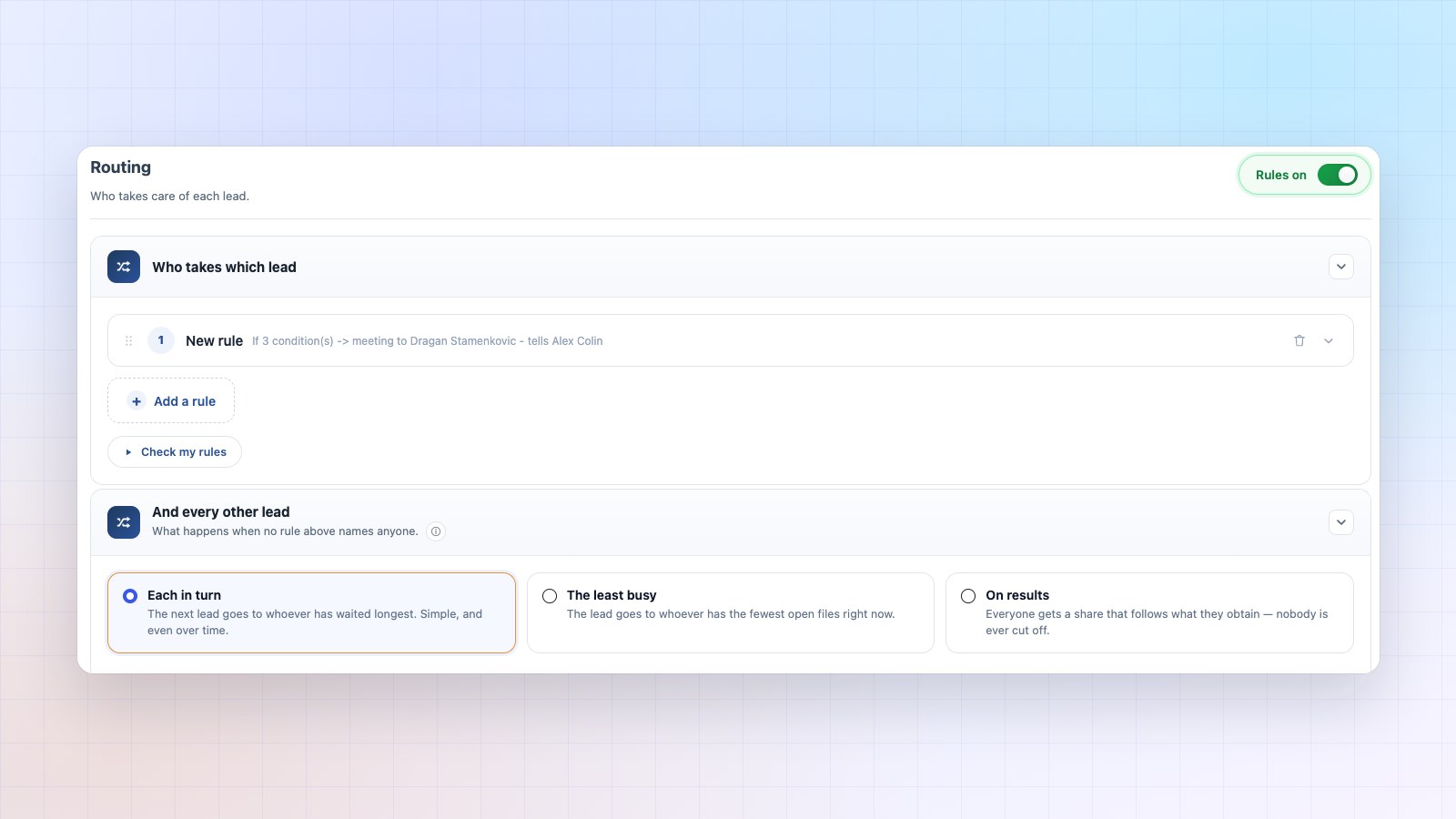
What it brings you. The visitor sees the right person’s availability straight away. The meeting is booked with the right rep from the start.
6. It keeps things separate: each rep sees their own leads
A logged-in rep sees their own files and their own numbers.
What it brings you. You open the tool to the whole team and your client portfolio stays yours. And everyone sets up their own calendar without handing you the private address of their personal one.
7. It alerts you where you work
Slack, Teams, Discord, Telegram, or simply an email. Each person has their own destinations, their own score threshold and their own pace.
What it brings you. The right lead reaches you within seconds. The others wait for the summary. You open a dashboard when you choose to.
8. It rescues the lead nobody picks up
A file that was assigned, with no meeting booked by the deadline you set, comes back up on screen and goes to someone else.
What it brings you. It’s the only decision in the product that undoes another one. A hot lead stays hot, even when its owner is on holiday.
9. It follows the deal all the way to the sale
Just four states: to fill in, in progress, won, lost. Each file carries a next-action date and a dated log.
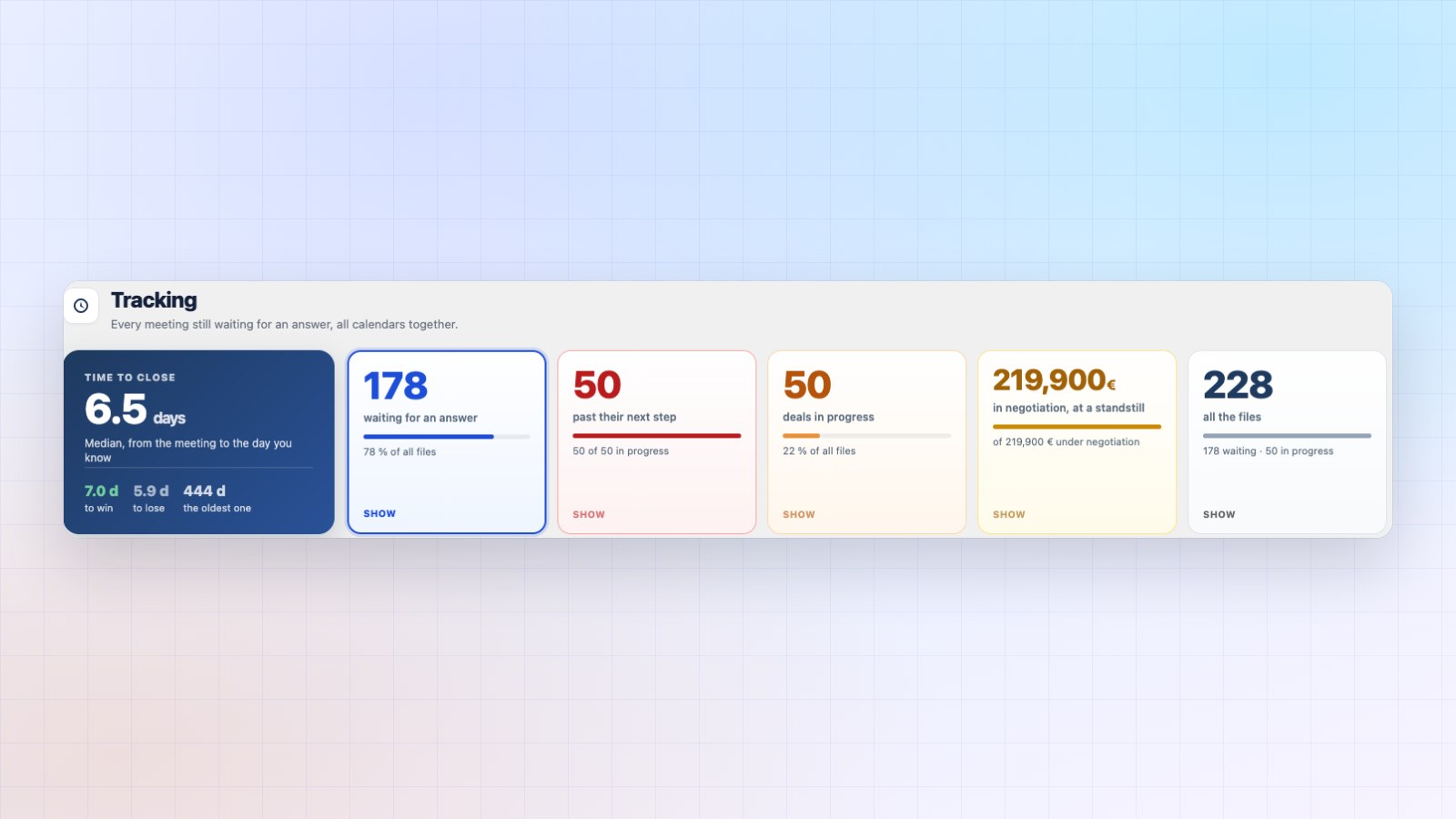
What it brings you. The tracking screen tells you which meeting produced which amount. It’s the one piece of data in your funnel that no competitor can copy.
10. It emails you last month’s results
Once a month, a short email. What came in, what was signed, what is waiting.
What it brings you. A dashboard you have to remember to open mostly measures the discipline of whoever opens it. This one comes to you, and asks for nothing.
11. It reaches the visitor elsewhere on your site
A discreet invitation follows the reader. On an article, under a video, on a pricing grid. It waits a few seconds, and stays quiet once it has been declined.
What it brings you. A qualification screen only works when someone lands on it. Here, the invitation goes to the visitor.
12. It brings in your existing contacts
An import flow pulls your history from Calendly, Cal.com, SavvyCal, Acuity, iClosed, Fluent Booking, or a simple file.
What it brings you. You start with a full database. Your meetings from the last two years become tracked files.
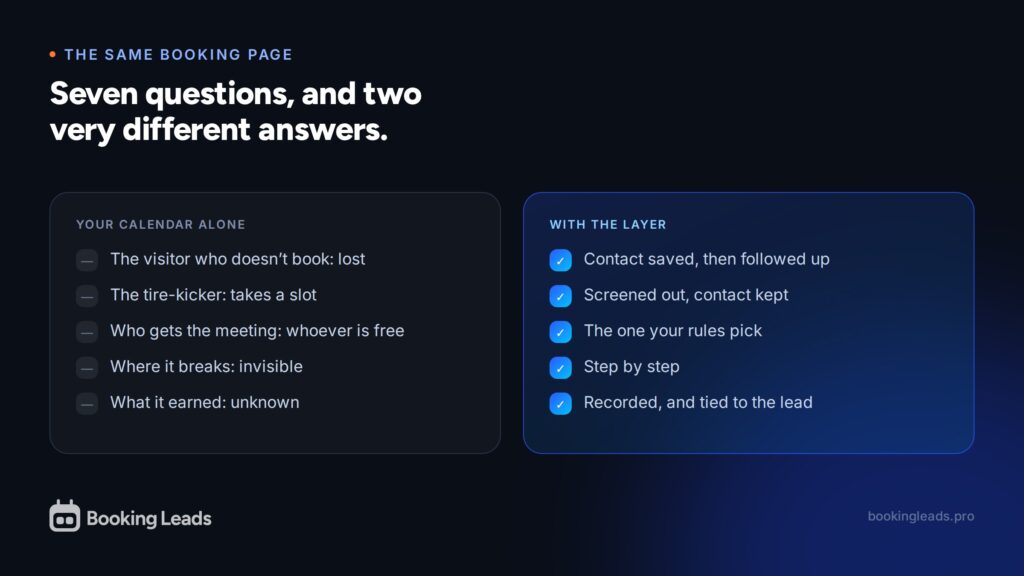
Your calendar alone, or with the layer
| The question | Your calendar alone | With Booking Leads |
|---|---|---|
| The visitor who doesn’t book | Lost, no trace | Contact saved, followed up |
| The tire-kicker | Takes a slot | Screened out, contact kept |
| Who gets the meeting | Whoever is free first | The one your rules pick |
| Where the funnel breaks | Invisible | Step by step |
| What the meeting earned | Unknown | Recorded, and tied to the lead |
| The lead nobody handles | It sleeps | It goes to someone else |
| Your contacts | Often with the vendor | In your own database |
What it changes in money
Take a hundred visitors on your booking link. Thirteen book today.
You paid for the other eighty-seven. In advertising, in SEO, in hours spent creating content. They left nothing behind.
I’d rather let you work out the multiplier yourself. The loss calculator asks three questions and shows a yearly amount. Yours, with your own numbers.
And it goes down by itself if you enter a good booking rate. A promise the reader calculates alone is a promise you never have to keep.
Twelve arguments for your next proposal
These twelve lines are twelve selling points for your next client proposal.
All twelve work with the calendar your client already has. The same layer sits on a site running Amelia, another running Fluent Booking, a third running Calendly. You learn one tool for your whole portfolio.
Multi-site licences cover several installations, and white label puts your name in place of ours in their admin.
Twelve features, one goal
Every line serves the same idea: everything you paid for leaves a trace.
Three of them are enough to change a month. Capture before the slots gives you contacts you didn’t have. Automatic follow-up brings them back. Screening gives you back the hours tire-kickers used to take.
The other nine make up the control tower: the right rep, the alert at the right threshold, the rescued lead, the deal tracked to the signed amount, the funnel that points to the step to improve.
All of it sits in front of the calendar you already have, in about twenty minutes, and your contacts stay in your own site’s database.
The demo shows all twelve on screen, and the lifetime offers are on the home page.
What people ask me about the product
What does Booking Leads do, in one sentence?
It captures the visitor’s contact before showing your slots, screens out those who don’t match your criteria, sends the others to the right rep, and follows each file all the way to the sale.
How is it different from a CRM?
A CRM sorts deals into stages. Here, tracking serves two purposes: correcting the lead’s score and knowing what a meeting earned. Four states, and your CRM keeps its role.
Is it useful for a one-person business?
Yes. Ten of the twelve features work from the very first person. Only routing between reps and team separation need a team.
What happens to a lead nobody handles?
After the deadline you set, the file comes back up on screen and can go to someone else. It’s the only decision in the product that undoes another one.
How do I know what a meeting earned?
You record the sales outcome on the file, with the amount. That’s exactly what makes this data so valuable: it comes from you.
Where do new lead alerts go?
To Slack, Teams, Discord, Telegram or an email, your choice. Each team member sets their own destinations, with a score threshold and a sending pace.
Can I bring in my past meetings?
Yes. The import pulls your history from Calendly, Cal.com, SavvyCal, Acuity, iClosed, Fluent Booking or a spreadsheet file.